Conditional Approval
Automate your approval process with smart conditions.
Conditional Approval
Deeployed Peer offers Conditional Approval to eliminate the manual "ping-pong" overhead of minor fixes and repetitive reviews.
What is Conditional Approval?
You can give conditional approval to any committable code suggestions generated by the Peer bot or other reviewers. When you provide a conditional approval:
- A dedicated PR containing only your selected suggestions is opened against the original PR’s head branch.
- Deeployed Peer monitors this secondary PR.
- Once the secondary PR is merged, Peer automatically issues an approval on the original PR on your behalf.
In essence, it allows you to state: "I approve these changes; if they are applied exactly as suggested, no further manual review is needed—consider the PR approved."
How to Give Conditional Approval?
Start Your Review
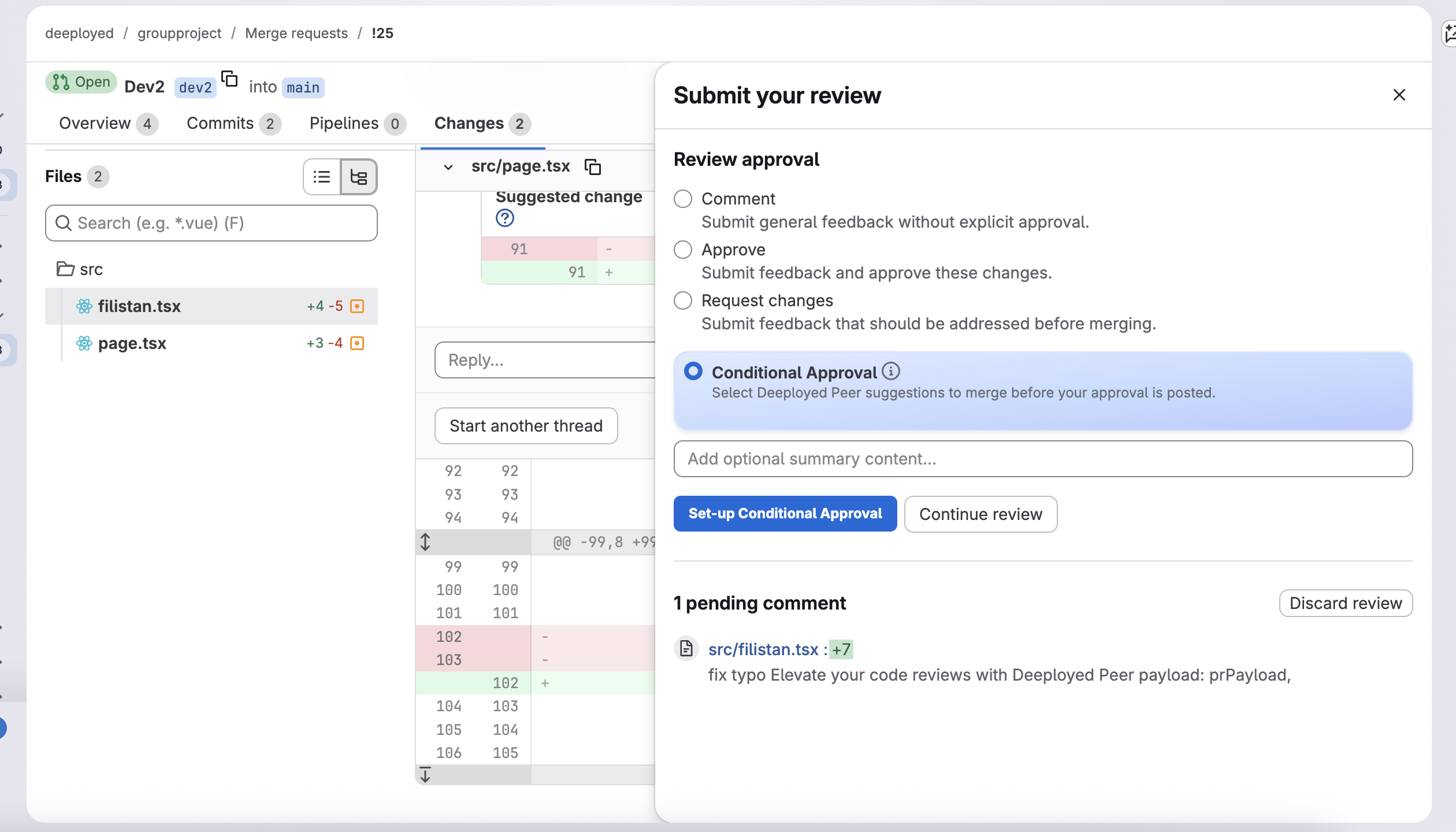
Click the Your review button in the top-right corner of your Git platform.
Open Conditional Approval
Select the Conditional Approval button added by the Deeployed Peer browser extension.
Initiate Setup
Click the Conditional Approval Setup button to begin selecting the specific suggestions you want to approve.
Select Suggestions
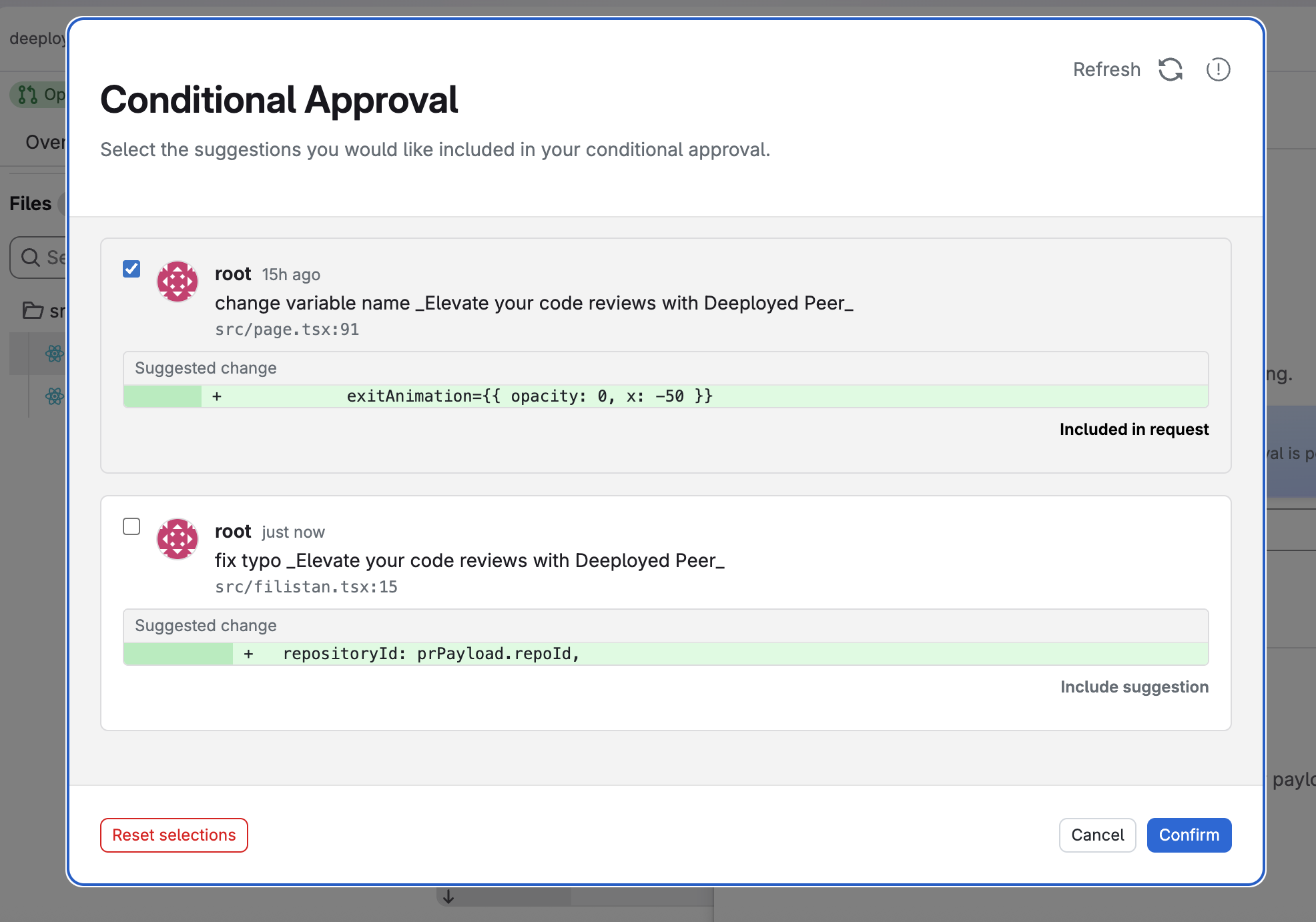
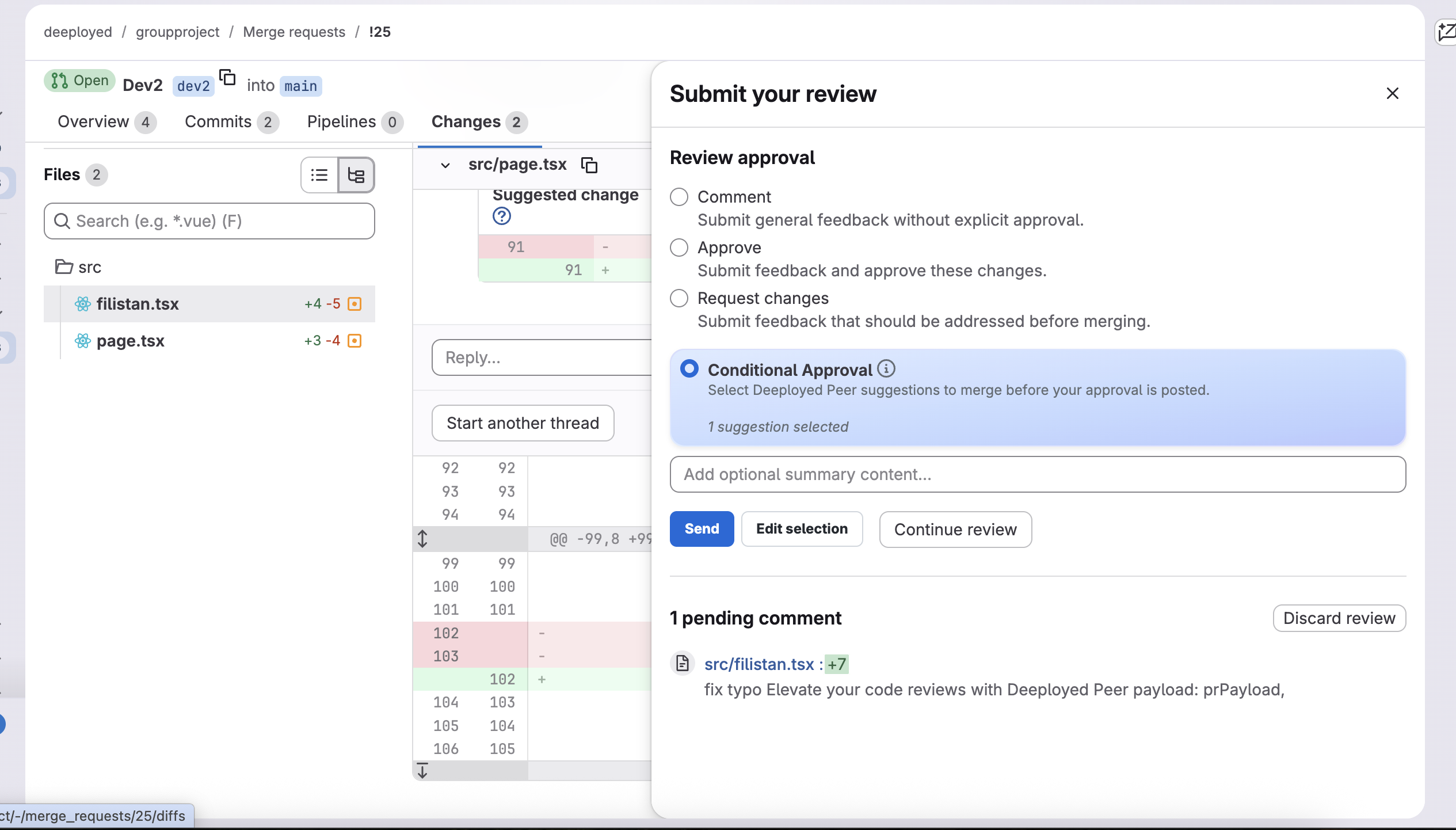
Mark the checkboxes for the suggestions you want to include and click Confirm. You can use Edit Selection to review your choices before finalizing.
Submit
Once satisfied with your selection, click Submit to trigger the automated flow.
Tracking and Final Approval
After submitting, a comment will be posted on your behalf in the PR Overview section. This comment contains a link to the newly created MR.
Once the automated MR is merged into the head branch, the original PR will be automatically approved in your name.